Web platform
DraftIFC Ticketing System
A complaint-ticketing platform for International Financial Centre Tower 2: tenants report building issues, staff resolve them, and supervisors track performance with SMART (Specific, Measurable, Achievable, Relevant, Time-bound) scoring and a leaderboard.
DRAFT: written from the screenshots. Add the real story, then set
draft: false.
The problem
What it does
The platform has three roles: Supervisor (management), Staff (handles complaints), and Tenant (building occupant).
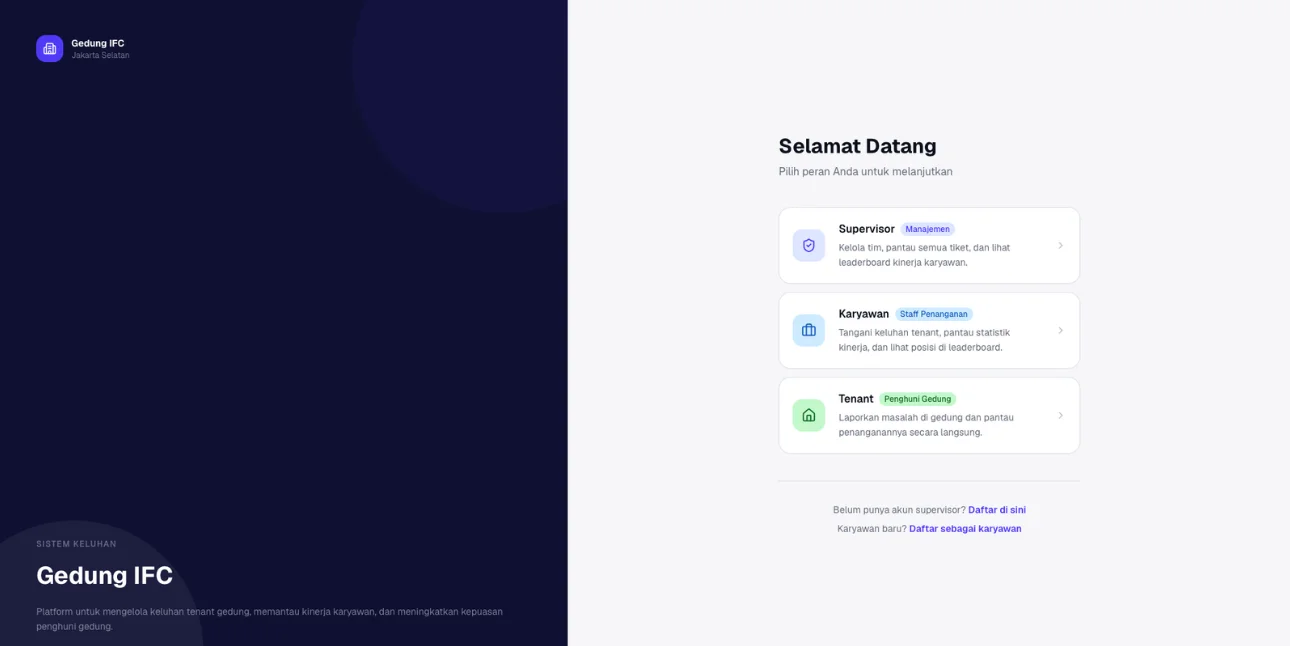 Everyone signs in by role: Supervisor, Staff, or Tenant.
- Tenants report issues in the building and follow their progress.
- Staff handle tickets, track their stats, and see their position on a leaderboard.
- Supervisors manage the team, watch every ticket, and set how performance is scored.
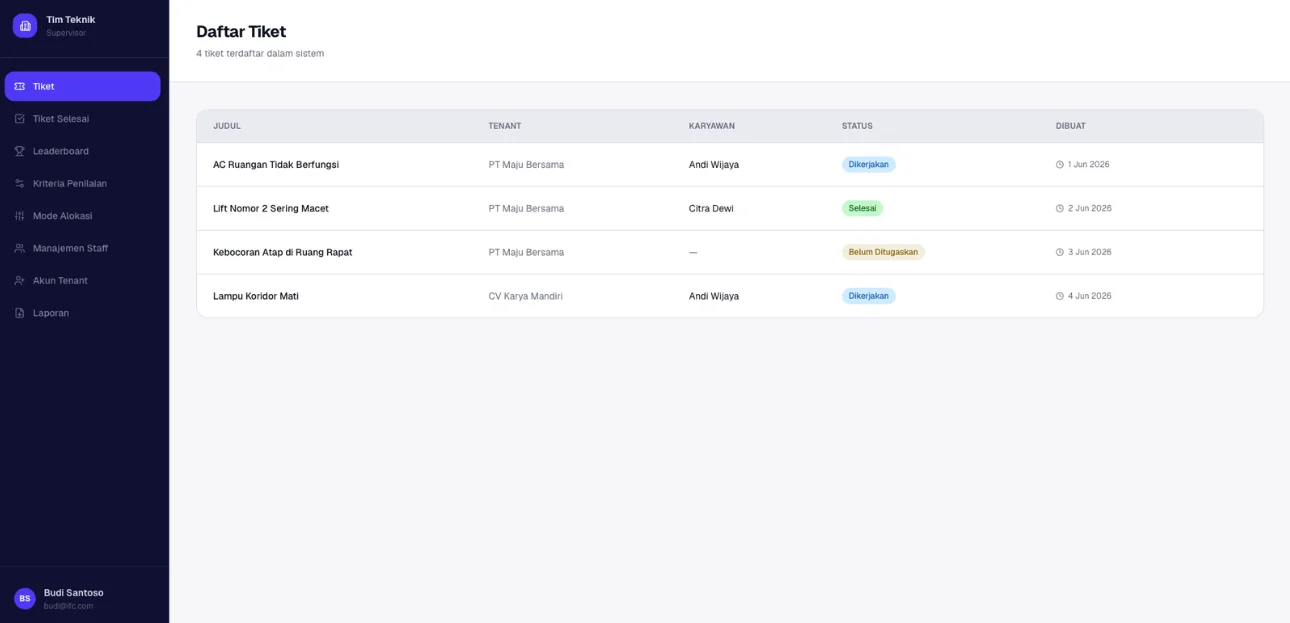 All tickets with their status at a glance.
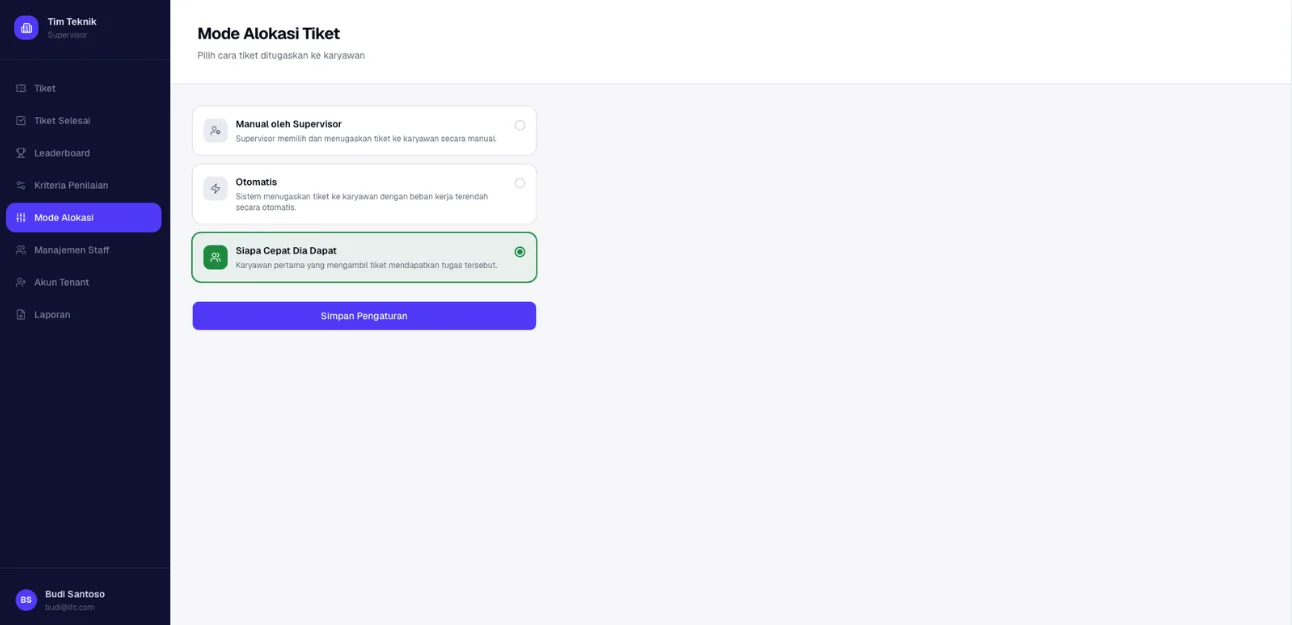 Supervisors choose how tickets are assigned.
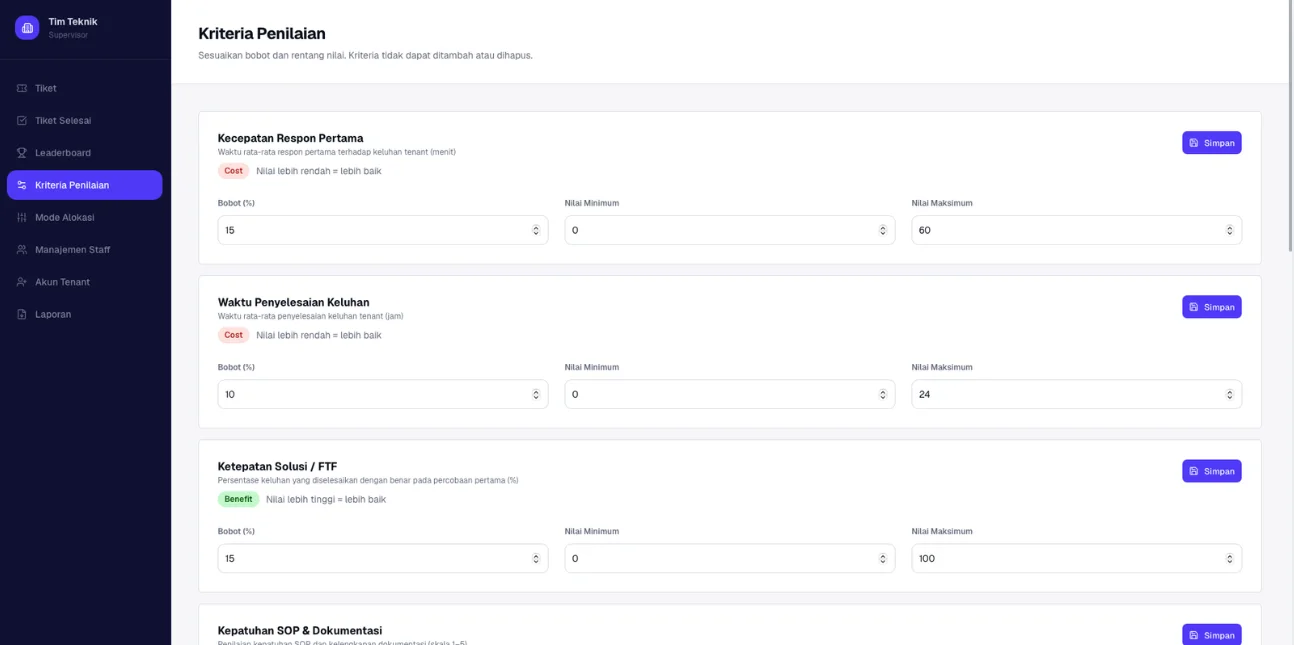 SMART scoring: weighted criteria like first-response time and resolution time.
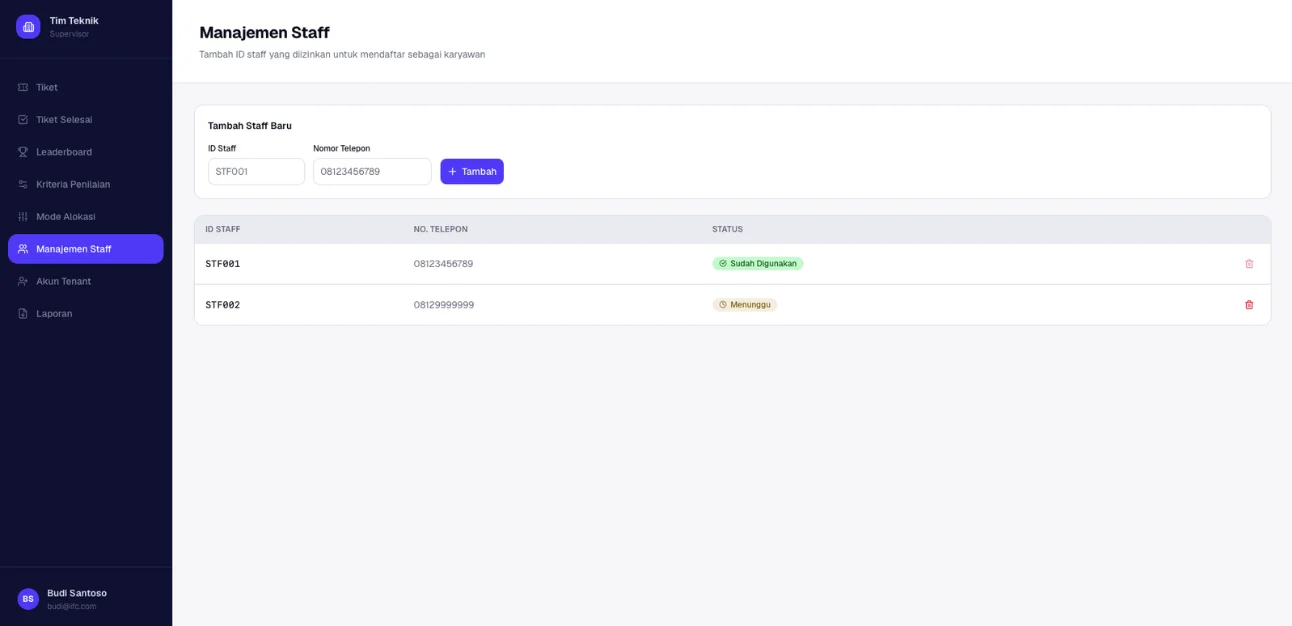 Supervisors register staff IDs before staff can sign up.
Ticket allocation
Supervisors choose how new tickets reach staff:
- Manual: the supervisor assigns each ticket.
- Automatic: the system assigns tickets based on workload.
- First come, first served: the first staff member to take a ticket gets it.
Performance scoring
Each criterion (first-response time, resolution time, first-time-fix rate, SOP compliance…) has a weight, a min/max range, and a direction: cost (lower is better) or benefit (higher is better). These scores power the staff leaderboard.
Staff onboarding
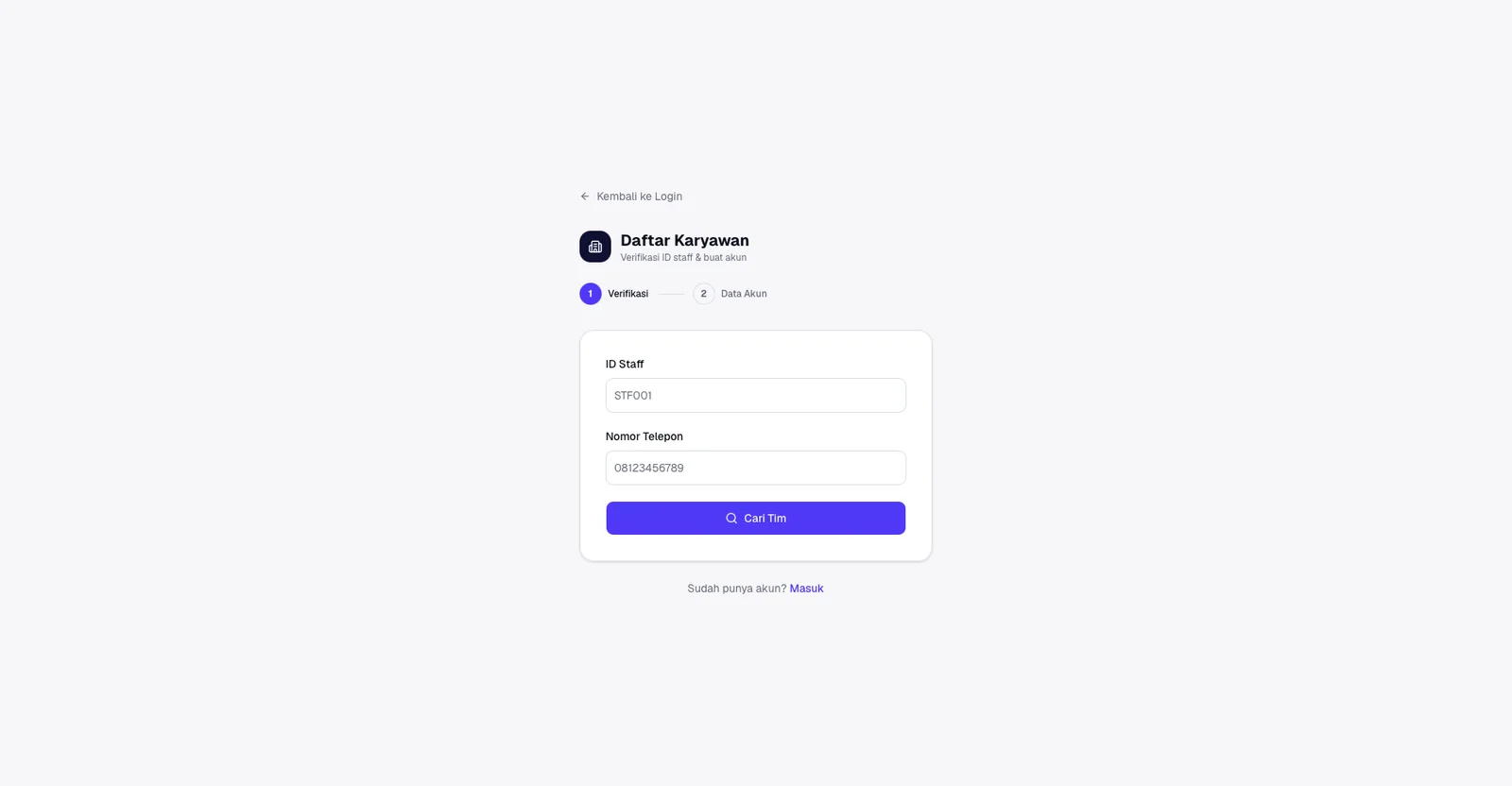 Step 1: staff verify their ID and phone number.
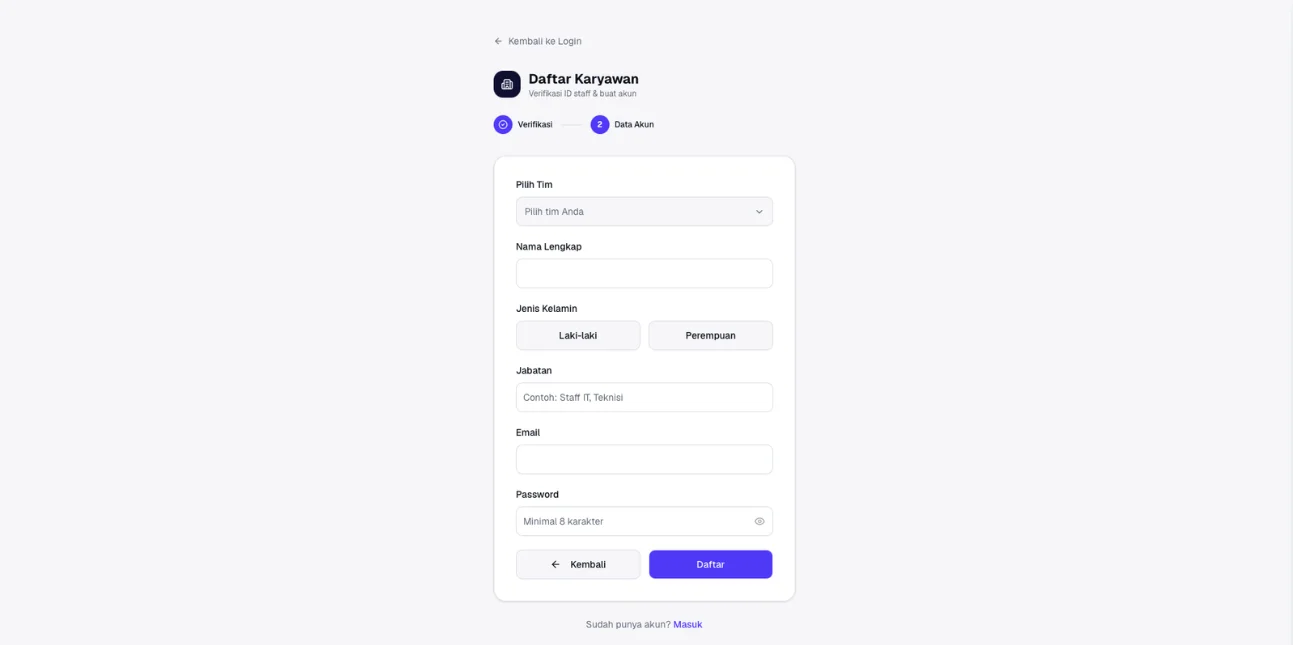 Step 2: they complete their account details.